
 Claude
 Gaia
GaiaI'm sure every React developer has faced this warning once
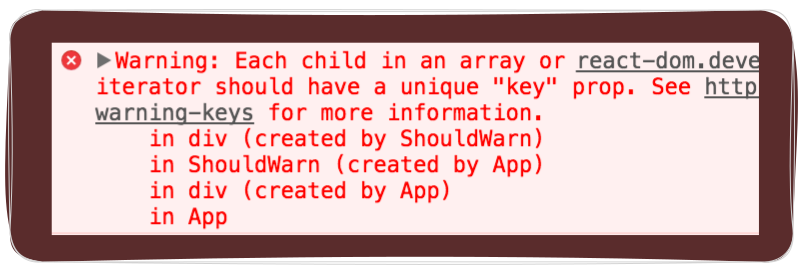
React wants you to add a key prop to list items but honestly, I never truly understood why. I just did it because I didn’t want to see the warning in the console or the linter screaming at me. And it's just a warning who cares right?

Every time I used to get this warning I just slammed with an index as a key
todos.map((item, index) => (<Item key={index} todo={item} />))
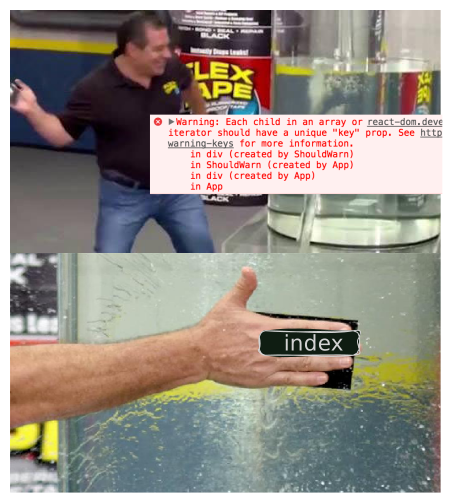
I know, I know you are already judging me "What an idiot just put the item as key why do you even want
to put index as a key". Let me tell you something I thought WHAT IF, WHAT IF my users want to put the same todo twice, I do that a lot
you can't judge me for this 😳
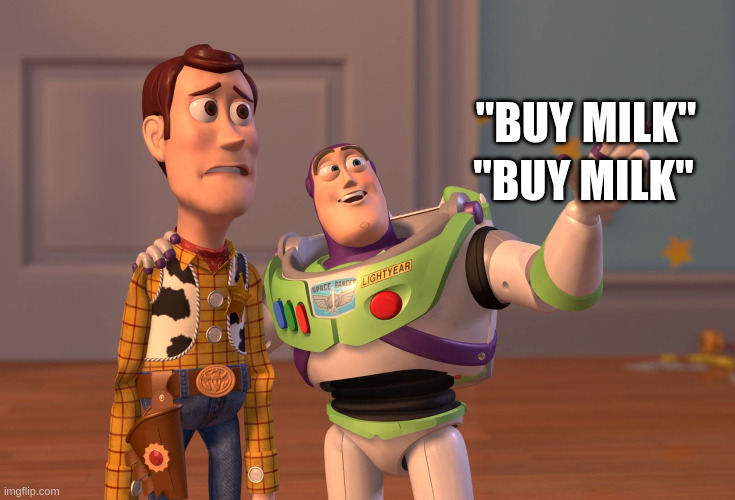
and I would get the warning again, so for the safe side I always kept index as a key.
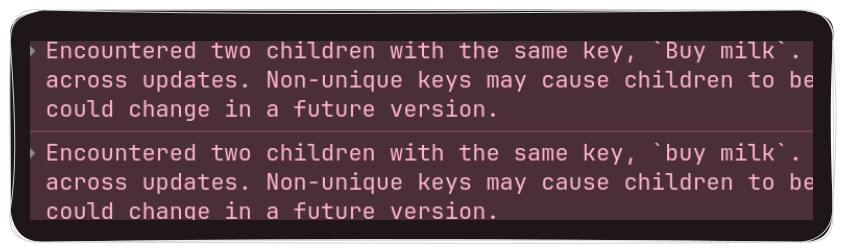
This is definitely not the optimal way and all I'm doing is just suppressing the warning we will discuss why, keeping jokes aside let's understand why React even needs key props to maintain the items in a list
Intended audience
This blog is for React developers who have used the key prop before but never fully understood why it exists. You should be comfortable with basic React concepts like state and rendering lists. This blog focuses on how React's reconciliation process uses keys internally, not on general React best practices.
Why does React even need a key?
Let's say you have a product list array and you are rendering these product items on a screen and you have
button sort by name which allows the user to sort items according to it's name.
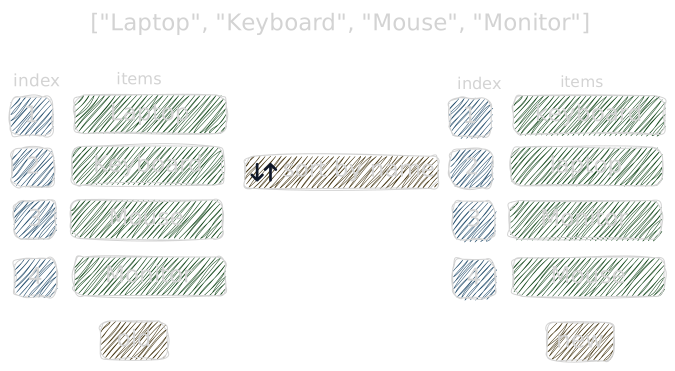
when you sort, the ordering of items changed, React has to re-render the UI so that it can match the UI with the sorted list. React does this by diffing the old UI tree and the new UI tree, when it does so it tries to do it with a minimal cost
React is comparing the first item from the old tree and new tree, what should React conclude?
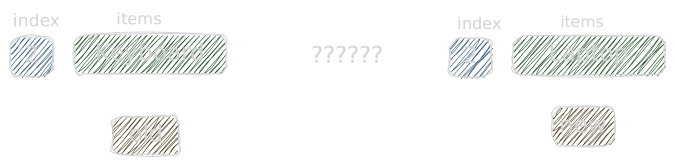
Keyboardhas movedKeyboardwas deletedKeyboardwas replaced
It genuinely cannot tell. Just looking at one position in isolation, all of those are valid interpretations.
What should we do with this Keyboard DOM node? get rid of it?
say after comparing react came to the conclusion
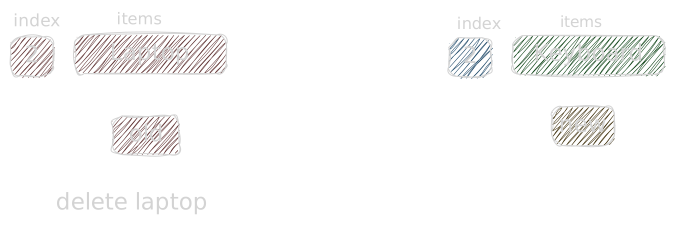
Laptopis deleted
React marked the laptop fiber node as it needs a deletion and moved to another item for comparison
Now on the second item comparison it sees Laptop is there, it just seems like they are swapped but we have already
marked Laptop fiber node as it needs deletion

And we end up deleting and creating the same DOM node which simply would have been moved. It's fine for a single DOM node but for thousands of nodes it would be a nightmare for performance
React has to make a decision here, but it has no way to track where each item came from or where it went. So how does it figure out what to delete, what to update, and what to keep?
Maybe we track through position?
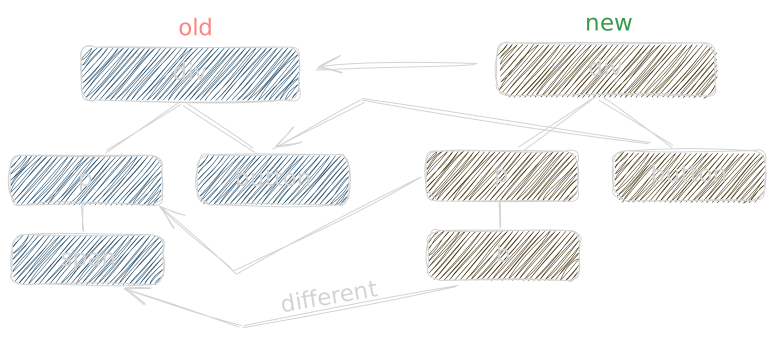
During reconciliation, React compares the new UI tree with the previous one by checking each Fiber node's position and type. If the type of the element or component at the same position is different, React treats it as a completely new node. It deletes the existing Fiber and creates a new one instead of updating it.
In this example, span and b have different element types, so React deletes the span Fiber and creates a new Fiber for b.
But if the element type is same react will reuse the Fiber and the DOM node
What key does?
one thing worth clarifying, key doesn't make React's reconciliation magically faster. the algorithm is already O(N) whether you have a key or not. what key actually does is give React the correct information to make the right decision, instead of blindly trusting position it now knows exactly which item is which. fewer wrong DOM updates, not fewer total operations.
Key on components
THEN WHY DON'T OTHER COMPONENTS NEED A "KEY" PROP

Let's see this through an example
Try it yourself type something in the input, then click the button to toggle between Item1 and Item2.
import { useState } from "react";

export default function App() {
const [isShow, setIsShow] = useState(false);

return (
  <div className="container">
    <button onClick={() => setIsShow((prev) => !prev)}>
      Switch to {isShow ? "Item1" : "Item2"}
    </button>

    {isShow ? <Item name="Item1" /> : <Item name="Item2" />}
  </div>
);
}

function Item({ name }) {
const [input, setInput] = useState("");
return (
  <div className="item">
    <span className="label">{name}</span>
    <input
      onChange={(e) => setInput(e.target.value)}
      placeholder="Type something..."
    />
  </div>
);
}
Notice that the input value sticks around even though the name changed. But we are rendering two separate
Item component right? how is this possible?
Now put the key prop in the Item components like this, try it yourself
{isShow ?<Item key={1} name="Item1" /> :<Item key={2} name="Item2" />}
Noticed? your input state no longer sticks it vanishes when you click the button
A little proof for you if you wanna play around and see if react is actually checking the element type
on same position and decides to reuse the fiber or not. Try changing one of the Item component to this and don't
provide the key, you will see input state still vanishes
<div><Item name="Item1" /></div>
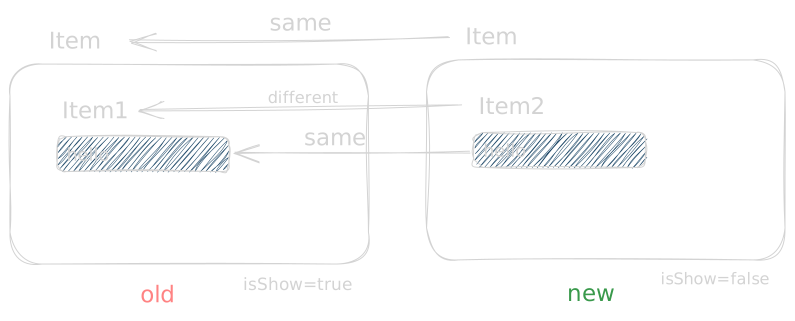
What actually happened was, we are rendering a same Item component and inside of it it has a text and a input button
when react reconciles it saw new UI tree also has a same Item element but the text inside of it is different so it
changed the text from Item1 to Item2 and when it checked the input element it's the same element
so react didn't remount your input so the state stays the same
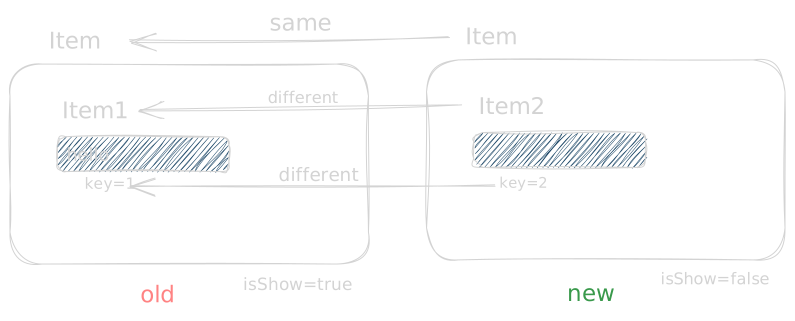
when you provide a key to a component you associate a new identity to them, now React not only
checks the element type in its position but also checks if it has the same key or not, if it's a different
key then we need to remove and add a new one.
React now remount your input so the state gets lost
You usually don’t need to add a key to standalone components because each component is unique and stable in the tree. React can easily track it by its position, so it knows whether to update or replace it.
The problem only arises with lists of similar elements, where React can’t tell which item is which if the order changes. Without keys, React has to rely on position, which can lead to unnecessary DOM updates, swapped states, or broken animations. That’s why React warns about missing keys for lists but not for single, stable components.
Key on list
import { useState } from "react";
import { sortProductsByPrice } from "./utils";

const initialProducts = [
{ id: 1, name: "Laptop", price: 1200 },
{ id: 2, name: "Keyboard", price: 100 },
{ id: 3, name: "Mouse", price: 50 }
];

function Product({ product }) {
const [added, setAdded] = useState(false);

return (
  <li className="product">
    <div className="info">
      <strong>{product.name}</strong>
      <span>$ {product.price}</span>
    </div>
    <button
      className={added ? "added" : ""}
      onClick={() => setAdded(true)}
    >
      {added ? "Added ✓" : "Add to cart"}
    </button>
  </li>
);
}

export default function App() {
const [products, setProducts] = useState(initialProducts);
const [ascending, setAscending] = useState(true);

const toggleSort = () => {
  const sorted = sortProductsByPrice(products, ascending);
  setProducts(sorted);
  setAscending(!ascending);
};

return (
  <div className="container">
    <h2>Products</h2>

    <button className="sort" onClick={toggleSort}>
      Sort by price {ascending ? "▲" : "▼"}
    </button>

    <ul>
      {products.map(product => (
        <Product  product={product} />
      ))}
    </ul>

    <p className="hint">
      Click a product to add to cart. Then click sort to see the effect.
      Visual indicator shows ascending or descending order.
    </p>
  </div>
);
}
Add a first product to cart, then click sort by price, you will notice the "Added" button is now on a completely different product, this is the exact problem we face when we don't provide a key
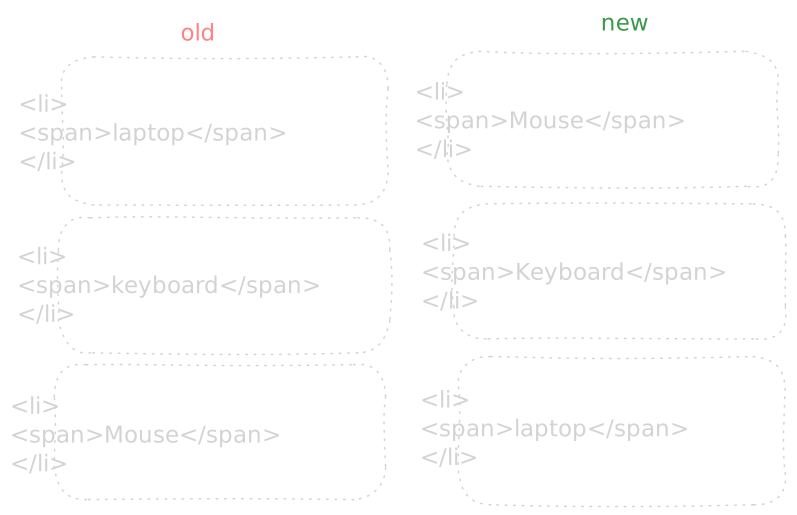
React begins with the first position in the list. In the old tree the first item was Laptop, in the new tree it's Mouse. React looks at both and sees the same type, <li>. No key, so it has no idea these are different products. It just assumes position 0 is position 0, same element, content changed, patch it and move on.
It does this for every position down the list. The DOM nodes never moved, React just rewrote what's inside them. From React's perspective nothing interesting happened here, just some text updates.
But the added state doesn't live in the text. It lives in the component. And because React reused the same component instance at position 0, that state stayed exactly where it was. The product changed, the state didn't follow.
This is why after sorting you see something completely wrong, the Added button is on Mouse now even though you clicked it for Laptop. React had no way to know Laptop moved. All it saw was that position 0 has different text now, so it updated the text and called it a day.
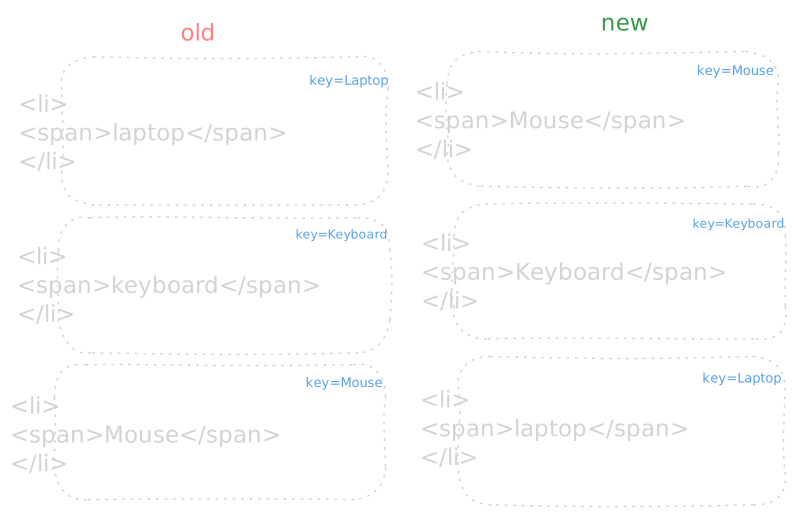
This is exactly where the key prop comes in. By providing a key, you are giving React a stable identity for each item in the list. Instead of assuming items are the same just because they appear in the same position, React can now track them by their key and correctly understand when an item has moved, been inserted, or been removed.
index as a Key
{products.map((product, index) => ( <Product key={index} product={product} /> ))}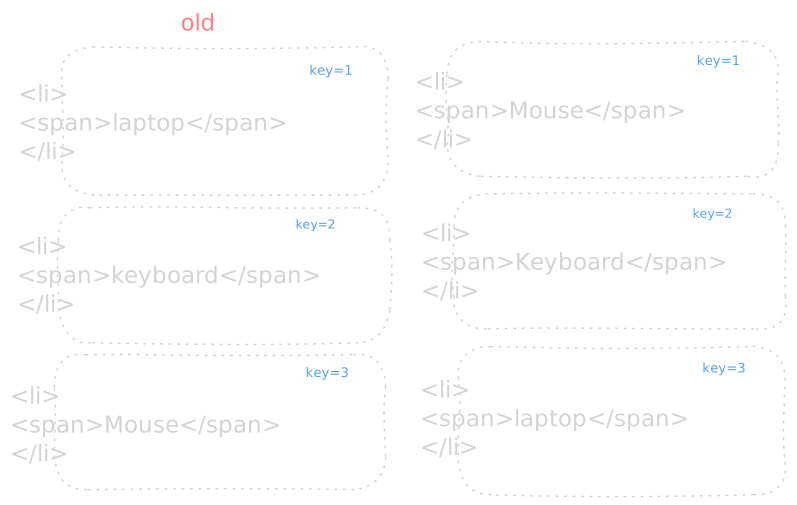
Now the interesting part!, when you use the index as a key, React thinks each position in the list is the same as before. So if you sort the list, React just reuses the component instance at each position. That's why the "Added" button sticks to the wrong product, the component at position 0 never got replaced, only the props changed.
But index as a key is not always wrong, Index as a key is fine when:
- The list never changes at all
- The items have no internal state — no inputs, no checkboxes, nothing the user interacts with

So was I right? not really, index just suppresses the warning. The moment your todo items have an edit input or a checkbox you'd hit exactly the state sticking bug we just saw.
Math.random as a key
{products.map((product) => ( <Product key={Math.random()} product={product} /> ))}When we say it should be a unique key, it should be a stable unique key not a random number, I hope you
have already guessed what happens when you use Math.random() as a key
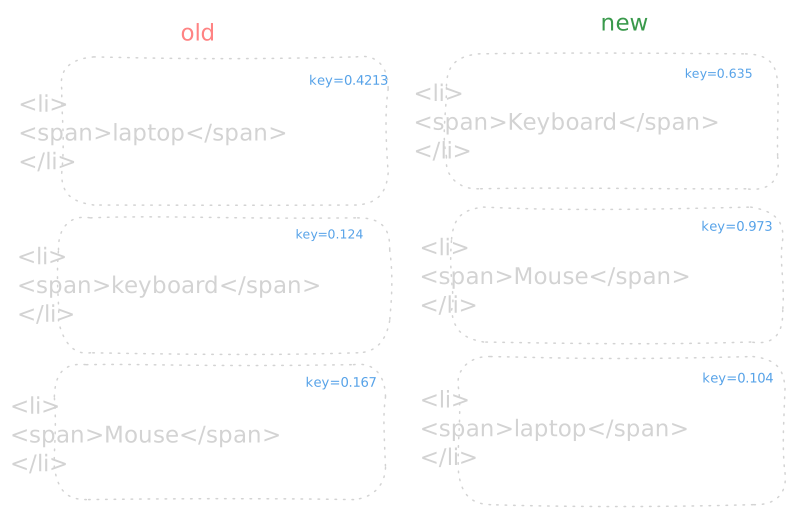
every render Math.random() spits out a completely different key, so React thinks every product is a brand new one and just blows up the entire list and recreates it from scratch. your "Added" state? vanishes on every single render. yeah don't do this.
what makes a good key?
A key can be anything unique as long as it doesn't change between renders. React docs have a good section on where to get your keys from.
Conclusion
I hope this blog helped you understand why the key prop exists
and how it affects the reconciliation process in React.
Thanks for reading ❤️
- If you want to understand diffing algorithm for array in react Read More